


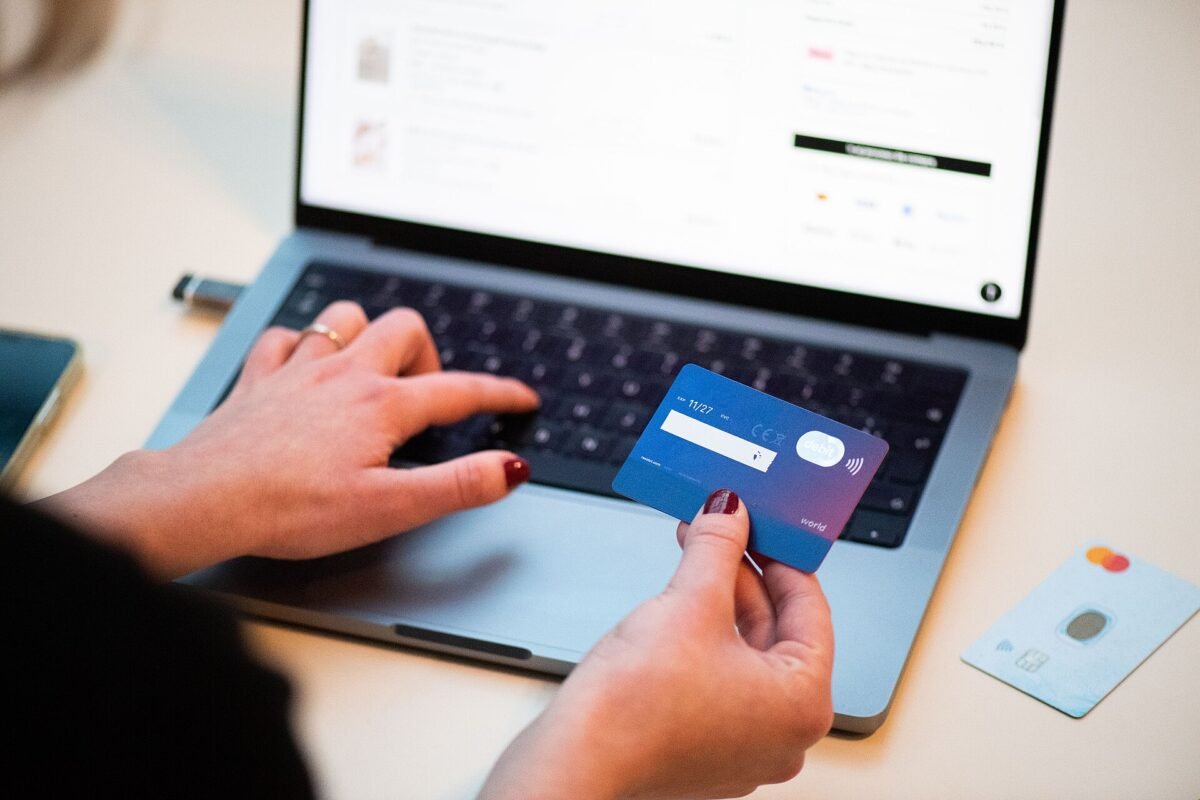
To check if a website is safe before you buy, confirm the exact web address, look up how long the domain has existed, search the store’s name with “scam” or “reviews,” check for real contact details and a clear return policy, and run the URL through Google’s Safe Browsing checker. HTTPS alone doesn’t prove a site is legitimate. Pay with a credit card or a protected payment service so you can dispute the charge if it goes wrong.
You see an ad for a $400 espresso machine marked down to $89. The site looks polished, the countdown timer says the sale ends in 14 minutes, and the checkout page has a padlock. Two weeks later, either nothing arrives or a cheap knockoff shows up from overseas, and the “customer service” email bounces.
Fake stores spike around Black Friday and the holidays, and AI tools have made them easier than ever to build, complete with convincing product photos and fluent descriptions. A two-minute check before you pay will catch most of them.
Key takeaways
- HTTPS means your connection is encrypted, not that the business is honest; scam sites use it too.
- A domain registered weeks ago, selling big brands at huge discounts, is a major red flag.
- Look for a physical address, working phone number and a return policy that names a real company.
- Use free tools like Google’s Safe Browsing site status and ICANN’s domain lookup.
- Credit cards and protected payment services give you the best chance of getting money back.
Does the HTTPS padlock mean a site is safe?
No. HTTPS is a protocol that encrypts data traveling between your browser and a website, so others on the network can’t read it. It tells you the connection is private. It says nothing about whether the person on the other end is trustworthy. Certificates are free and automated, and most phishing and fake shopping sites use them.
Google Chrome even dropped the padlock icon in 2023, replacing it with a neutral settings-style icon, partly because so many people misread the padlock as a sign of trust. You should still never enter payment details on a site without HTTPS, but treat it as a minimum, not a seal of approval.
How to check if a website is safe: a 2-minute routine
- Read the URL carefully. Look for misspellings (amaz0n, nlke), extra words (brand-outlet-sale.shop) and odd domain endings. Scammers often copy a brand’s look on a lookalike address.
- Check the domain’s age. Use ICANN Lookup to see when the domain was registered. A store claiming “since 1998” on a domain created last month is lying.
- Run a safety scan. Paste the address into Google’s Safe Browsing site status tool. A clean result isn’t a guarantee, since new scam sites may not be flagged yet, but a warning is a clear stop.
- Search for reviews off the site. Search the store name plus “scam,” “reviews” or “Reddit.” Reviews posted on the store’s own pages can be faked.
- Look for real contact details. A physical address you can verify on a map, a phone number that’s answered, and an email on the company’s own domain, not a free webmail account.
- Read the return and shipping policy. Vague, copy-pasted policies, or ones that require you to pay to ship returns overseas, are warning signs.
- Check the payment options. If the site pushes wire transfers, gift cards, Zelle or crypto, or offers a “discount” for paying that way, leave.
What are the signs of a fake online store?
| Red flag | Why it matters |
|---|---|
| Prices 60% to 90% below major retailers on popular brands | Real authorized sellers can’t sustain those margins |
| Countdown timers and “only 2 left” banners everywhere | Urgency is designed to stop you from checking |
| Brand-new domain | Scam stores are created and abandoned quickly |
| No physical address or only a P.O. box | No way to hold anyone accountable |
| Social media ad is the only way you found it | Many fake stores rely on paid ads to reach shoppers fast |
| Payment by wire, gift card, crypto or peer-to-peer app | These payments are very hard to reverse |
| Generic or stolen product photos | Reverse image search often shows them on other sites |
| Poorly matched policies (wrong country, wrong store name) | Text was copied from another site |
One quick trick: drag a product photo into Google Images or use Google Lens. If the same photo appears on dozens of unrelated stores, the “product” is probably a template.
What’s the safest way to pay online?
Credit cards offer the strongest protection for most U.S. shoppers. Under federal law, you can dispute charges for goods you didn’t receive or that weren’t as described, and your liability for unauthorized use is limited. Debit cards have some protections but your money leaves your account immediately while you wait.
Payment services such as PayPal offer buyer protection programs for eligible purchases. Peer-to-peer apps like Zelle, Venmo or Cash App are designed for paying people you know; buying from strangers this way usually leaves you with little recourse. Our guide on how payment apps work explains the differences.
Virtual card numbers, offered by many card issuers and browsers, add another layer: you can create a single-use or merchant-locked number so a compromised store can’t keep charging you.
How do you check a website on your phone?
Mobile browsers hide much of the URL, which makes lookalike domains harder to spot. Tap the address bar to see the full address. Be extra careful with links in text messages and social media apps, which open in in-app browsers. When in doubt, close the link and go directly to the retailer by typing its name or using its official app.
What should you do if you already bought from a scam website?
- Call your card issuer or bank right away to dispute the charge and, if needed, replace the card.
- Change passwords if you created an account, especially if you reused that password elsewhere. A password manager makes this easier.
- Report the site to the FTC at ReportFraud.ftc.gov and to the platform where you saw the ad.
- Watch for follow-up phishing. Scammers who have your email and phone number may contact you pretending to offer refunds.
- Monitor your accounts and consider a credit freeze if you shared personal details beyond your card.
Our take: slow down when the deal looks perfect
Most fake store victims aren’t careless; they’re rushed. The countdown timer, the impossible price and the social ad are all built to make you skip the checks. Our rule: if it’s a big-brand product at a price that would make the manufacturer’s own store blush, buy it from a retailer you already know or not at all.
For holiday shopping, keep a short list of trusted stores and go to them directly rather than through ads. If you’re hunting for deals, our guide on how to tell a real Black Friday discount covers price trackers that show whether a “sale” is real. And always pay with a credit card on unfamiliar sites. It’s the cheapest insurance you’ll ever buy.
Frequently asked questions
How can I check if a website is legit for free?
Use Google’s Safe Browsing site status tool, look up the domain’s registration date with ICANN Lookup, and search the site name with “scam” or “reviews.” Together those take about two minutes and catch most fake stores.
Is a site safe if it has good reviews?
Not necessarily. Reviews on the store’s own site can be fabricated, and some scammers seed fake reviews elsewhere. Look for detailed reviews on independent platforms with a mix of ratings over a long period.
Can I get my money back from a fake website?
If you paid by credit card, you can usually dispute the charge with your issuer. Debit card and payment app recovery is less certain, and wire transfers, gift cards and crypto are very hard to recover. Act quickly either way.
Are websites ending in .shop or .store unsafe?
Not automatically; many legitimate businesses use them. But scammers favor cheap, newer domain endings, so treat an unfamiliar store on one as a reason to run the full checklist.

Community Insights
0 Comments