



The touchscreen MacBook Pro is worth buying if you’re a creative or developer who was already shopping for a high-end M5 Pro or M5 Max laptop and wants the best display Apple has ever put in a Mac. It starts at $2,899 for the 14-inch model and $3,399 for the 16-inch. If you want touch just because it sounds nice, or you’re on a budget, skip it for now and look at the cheaper non-touch models.
Apple announced the MacBook Pro with PROLED XDR display on October 28, and it went on sale today, November 6. It’s the first Mac with a touchscreen and the first with an OLED panel, two things Apple spent more than a decade saying Macs didn’t need. Whether it’s a smart way to spend close to $3,000 is a separate question.
The short version: the screen is a big upgrade, touch is a nice extra, and the price premium is steep.
Key takeaways
- The 14-inch touch model starts at $2,899 and the 16-inch at $3,399, with M5 Pro or M5 Max chips.
- The new PROLED XDR display reaches 2,000 nits peak brightness for both HDR and SDR content, and the notch is gone.
- Touch carries a reported $400 premium over comparable non-touch M5 models.
- A non-touch 14-inch MacBook Pro with the M6 chip starts at $1,999 and is the better pick for most people.
- Most buyers should wait for reviews of long-term OLED performance and for app support to catch up.
What is the touchscreen MacBook Pro?
The touchscreen MacBook Pro is Apple’s MacBook Pro line with a touch-enabled OLED display, sold under the name “MacBook Pro with PROLED XDR display.” It comes in 14-inch and 16-inch sizes and sits above the regular MacBook Pro in Apple’s lineup.
According to TechCrunch’s launch coverage, the key specs are:
| Spec | 14-inch | 16-inch |
|---|---|---|
| Starting price | $2,899 | $3,399 |
| Chips | M5 Pro or M5 Max | M5 Pro or M5 Max |
| Max memory / storage | Up to 128GB / 16TB | Up to 128GB / 16TB |
| Weight | 3.0 lb (1.38 kg) | 4.0 lb (1.82 kg) |
| Display | PROLED XDR, 2,000 nits peak, 10,000,000:1 contrast, Dynamic Island-style cutout | |
| Ports | Three Thunderbolt 5, HDMI, SDXC, MagSafe, headphone jack | |
| External displays | Up to three (M5 Pro) or four (M5 Max) | |
Apple also redesigned the hinge so the screen doesn’t wobble when you tap it. That was the classic complaint about touch laptops, and it’s good to see Apple deal with it. Both sizes are lighter than the non-touch models they replace, and there’s a six-speaker array with a new woofer design.

How much does the touchscreen MacBook Pro cost compared with non-touch models?
This is the part that matters most. Macworld reports that the touch models cost $400 more than each equivalent non-touch M5 configuration. Meanwhile, Apple unveiled a non-touch 14-inch MacBook Pro with the newer M6 chip a day earlier, starting at $1,999.
So the real choice for many buyers looks like this:
- $1,999: 14-inch MacBook Pro, M6, no touch, no OLED.
- $2,899: 14-inch touchscreen MacBook Pro, M5 Pro, OLED.
That’s a $900 gap. Part of it buys a Pro-class chip with more cores and memory bandwidth. Part of it buys the screen. Only a small slice is really “touch.” If you’d never use an M5 Pro’s extra GPU cores, you’re paying a lot for a display.
Prices outside the US vary. Treat any local figure you see as a launch price that could change with exchange rates and promotions.
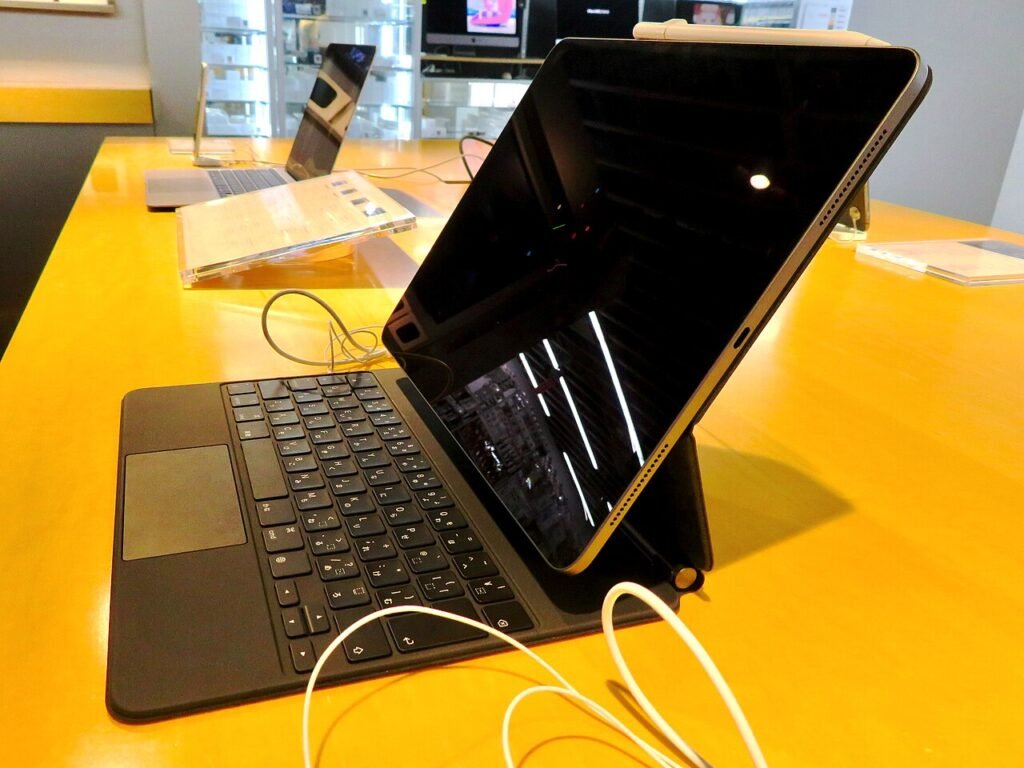
Is touch on a Mac actually useful?
Sometimes. Scrolling a long document, pinching to zoom on a photo, tapping a button in a video call or dragging a timeline in an editing app all feel natural with a finger. People who already use an iPad will reach for the screen without thinking.
But macOS is still built around a pointer. Menus, small toolbar icons and window controls are sized for a cursor, not a fingertip. Until more apps adjust their layouts, you’ll keep using the trackpad for most precise work. Touch on a clamshell laptop also means reaching forward, which gets tiring after a few minutes. That’s why Windows touch laptops never fully replaced the trackpad either.
The better reason to want this machine is the display. OLED gives true blacks, very high contrast and strong HDR, which is a real gain for photo and video editors, colorists and anyone who watches a lot of HDR content.
Should I buy the new MacBook Pro or wait?
Here’s how we’d decide. Work down the list and stop at the first line that fits you.
- You edit HDR video or photos for a living and your current Mac is three or more years old: buy the touchscreen MacBook Pro. The display alone can justify it.
- You need M5 Max performance (heavy 3D, local AI models, large code builds): the touch model is a reasonable buy, since the premium is a smaller share of an already high price.
- You mostly write, browse, code lightly and take calls: get the $1,999 M6 model or even a MacBook Air. Touch won’t change your day.
- You have an M3 or M4 MacBook Pro already: wait. Your laptop is still fast, and first-generation hardware tends to improve in its second year.
- You’re tempted mainly by touch: wait for reviews covering battery life, glare, fingerprint smudges and how well apps support touch.
If you’re new to choosing a laptop, our guide to how to choose a laptop walks through the basics, like memory, storage and screen size, that matter more than any single headline feature.
What are the risks of buying first-generation hardware?
Apple’s first versions are usually solid, but they’re rarely the best value. A few things to keep in mind:
- OLED burn-in. OLED panels can retain images if static elements sit on screen for very long periods. Apple hasn’t published burn-in figures for this display, so long-term durability is still unknown.
- Software polish. Touch support in macOS 27 is brand new. Expect updates, and expect some third-party apps to lag.
- Resale value. If a second-generation model arrives with a newer chip, first-gen prices often drop.
- Repair costs. A touch OLED panel is likely to cost more to replace than a standard display. AppleCare is worth pricing in.
Also remember that buying a $3,000 laptop on a promotional financing plan is still debt. If you’re splitting it into payments, read our explainer on how buy now, pay later affects your credit score first.
Our take: should you buy the touchscreen MacBook Pro?
The touchscreen MacBook Pro is a great laptop with an excellent display and a price that makes it a niche product. For pros who were going to spend $2,500 or more anyway, the extra $400 for OLED and touch is fairly easy to justify. You get a better screen, a lighter body and a feature that may become standard on Macs in a few years.
For everyone else, it’s a want, not a need. The $1,999 M6 model has a newer chip, and the money you save could cover a good external monitor with plenty left over. We’d also hold off if you shop on deals: last-generation MacBooks often get their deepest discounts around the holidays, and our Black Friday tech deals tips explain how to tell a real discount from a fake one.
Our pick: creatives buy now, everyone else waits until spring, reads the long-term reviews, and decides then.
Frequently asked questions
When did the touchscreen MacBook Pro come out?
Apple announced it on October 28, 2026, and general sales began on November 6, 2026. Availability dates can differ slightly by country.
How much is the touchscreen MacBook Pro?
In the US, the 14-inch model starts at $2,899 and the 16-inch at $3,399. Configurations with an M5 Max chip, more memory or more storage cost considerably more.
Does the touchscreen MacBook Pro support Apple Pencil?
Launch coverage we reviewed doesn’t confirm Apple Pencil support. Check Apple’s tech specs page before buying if stylus input matters to you.
Is the touchscreen MacBook Pro better than an iPad Pro?
They do different jobs. The MacBook Pro runs full macOS apps with a keyboard and trackpad, while the iPad Pro is built for touch and pencil first. If you mainly draw or take handwritten notes, an iPad is still the better tool.
Can I still buy a MacBook Pro without a touchscreen?
Yes. Apple still sells non-touch MacBook Pro models, including a 14-inch with the M6 chip starting at $1,999. For most buyers, that’s the better value.




Community Insights
0 Comments